

Texodus
A fast desktop app for reading and editing Markdown files: the source on one side, GitHub Flavored Markdown rendered live on the other. Free, open-source and local-first — no telemetry, no cloud.
Also as .deb .rpm · all releases ↗ · source on GitHub ↗
Version 4.4.0 · 22 August 2026 · GPL-3.0
What it does
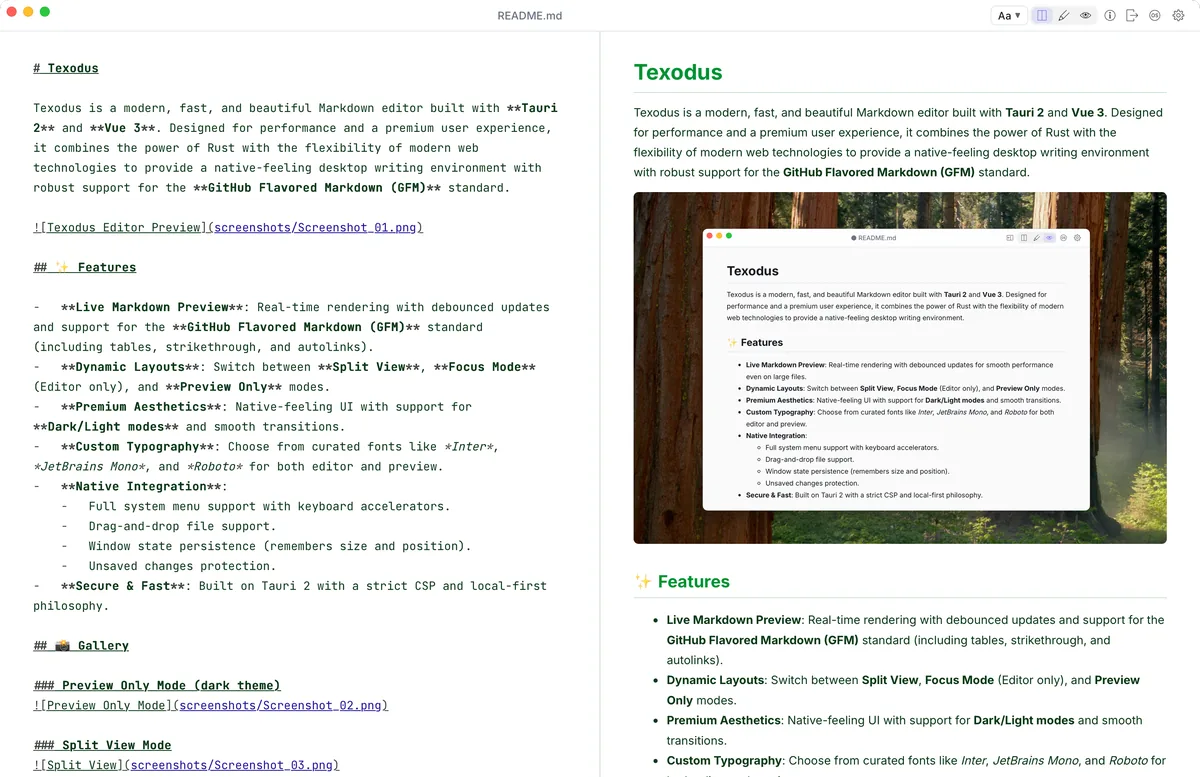
Source and preview, side by side
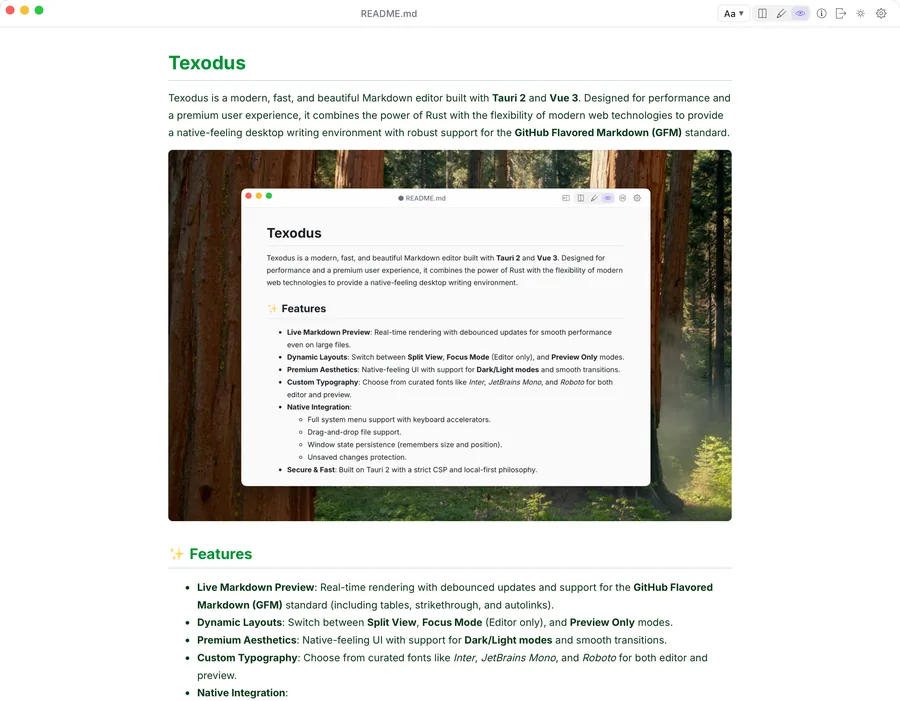
A CodeMirror 6 editor next to a live GitHub Flavored Markdown preview: tables, task lists you can tick right in the preview, code highlighted in more than 30 languages. Switch between Split View, Focus Mode and Preview Only.
Mermaid diagrams and local images
Flowcharts and sequence diagrams render inline and follow the color scheme; zoom, pan, or copy one as SVG or PNG. Images load from disk by relative path, the way they will on GitHub.
A folder, not just a file
Open a folder to get a file tree, tabs or separate windows, and Quick Open (Cmd/Ctrl+P) with fuzzy search over every Markdown file in it. Open tabs are restored on the next launch.
Follows files that change on disk
Open files are watched. When another program rewrites one — a coding agent, a script, git — it reloads by itself; if you have unsaved edits, Texodus asks which version to keep.
Search in both panes
Cmd/Ctrl+F highlights matches in the source and in the rendered preview at once, with a match counter and case-sensitive, whole-word and regular-expression modes.
Export to HTML and PDF
One self-contained HTML file or a PDF, with local images embedded and links that still work.
Access only to what you open
No telemetry, no cloud, no network fonts. The app can read only the files and folders you opened, and ~/.ssh, ~/.aws and ~/.gnupg stay off-limits even inside those.
Ten color schemes
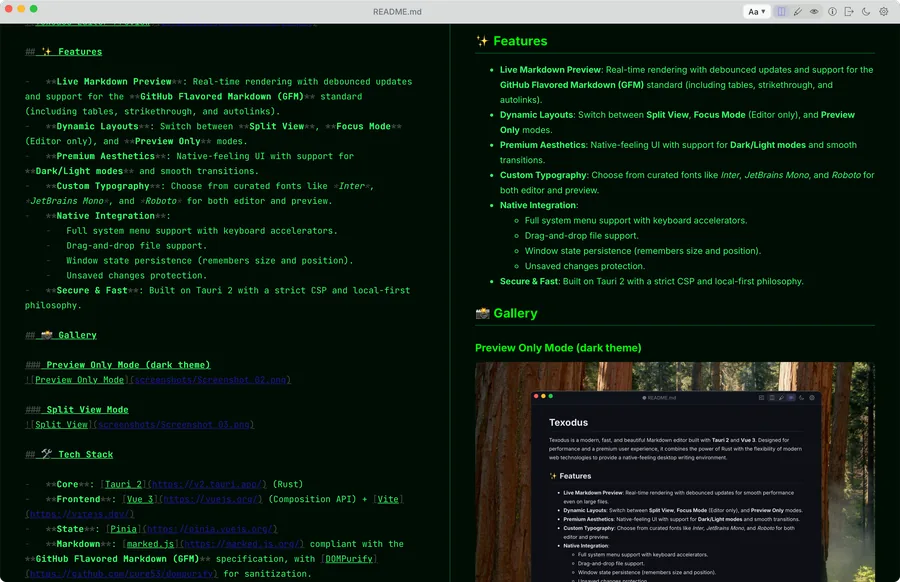
Default, Solarized, Nord, Monokai, Dracula, GitHub, Catppuccin, Gruvbox, Everforest and Matrix, each in light and dark, with a choice of bundled editor and preview fonts.
New in 4.4.0
- Insert Table of Contents. A Format menu command builds a nested list of links from the document's headings. The result is ordinary Markdown: it renders the same on GitHub and in exported HTML and PDF.
- Document titles instead of file names. The sidebar, the tab bar and Quick Open can show a document's first heading or its frontmatter title instead of the file name.
- The workspace comes back the way you left it. Expanded folders and the selection are remembered per workspace, and the last workspace reopens on startup.
- Section links work. Headings get GitHub-compatible anchors, so a hand-written table of contents jumps to its section in the preview and in exported HTML.
- PDF export keeps links and formatting. Links inside paragraphs, lists and tables are clickable in the exported PDF, and bold, italics and strikethrough are no longer flattened to plain text.
- Windows line endings are preserved. Opening a CRLF file no longer marks it as modified, and saving writes the file back with the line endings it came with.
Is it for you?
A good fit if you
- read and edit plain Markdown files: READMEs, docs, specs, notes;
- want to see what GitHub will render before you push;
- read what coding agents write — plans and reports that keep changing while you look at them;
- want a text editor with no account, no sync and no telemetry.
Look elsewhere if you
- want WYSIWYG editing — Texodus shows the source next to the preview and doesn't hide the markup;
- need a knowledge base with backlinks, a graph or plugins;
- write math: LaTeX formulas are not rendered;
- need it on a phone or in a browser — it is a desktop app.
How it started
Texodus started as a test task. For a video comparing Qwen and Gemma, I had both models build a Markdown viewer from the same spec — one from Prompt Vault — because I was looking for a viewer I would actually use. The version Gemma 4 wrote was good enough to keep, so I took it as the foundation and turned it into an editor fit for daily work.
I'm Nick Blokhin, a software architect. Texodus is still maintained with coding agents, with me as architect and reviewer. I wrote up both halves of that: how I split work with agentic coding tools and why "cross-platform" means three separate platforms. More of it on Zero to MVP.
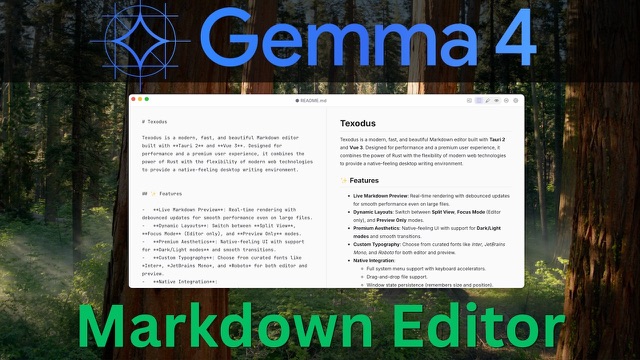
The first release, May 2026: how a model comparison turned into an app, and what the editor could do on day one.
Opus 5.5 and Higgsfield build a launch page and a promo video for Texodus from a single brief.
Behind the scenes
The trickiest part of Texodus was rendering local images. The app ships with a strict Content Security Policy, and the webview has no direct access to the filesystem — so a plain  in a document cannot simply be loaded from disk. Image paths are resolved against the open document's directory and served through Tauri's asset protocol, which gives the preview exactly enough access to render the document and nothing more.
Keeping the live preview fast took real work too. Every keystroke potentially triggers GitHub Flavored Markdown parsing with marked.js, sanitization with DOMPurify, syntax highlighting with Prism, and Mermaid diagram rendering. The pipeline is debounced so typing stays smooth even in large documents, and only the blocks that changed are patched into the page — a Mermaid diagram keeps its zoom while you type around it. Diagrams are re-themed on the fly to match the active color scheme.
The most unusual problem turned out to be Linux packaging. The AppImage bundled Wayland and DRM client libraries that conflicted with the host's Mesa drivers and caused EGL initialization failures on recent distributions. The fix lives in the release pipeline: it strips those libraries from the AppImage after packaging so they resolve from the host system instead. A good reminder that "cross-platform" really means three separate platforms, each with its own quirks.
Tauri 2 (Rust) · Vue 3 (Vite, Pinia) · CodeMirror 6 · marked.js + DOMPurify · Mermaid · Prism.js
Try it on your own files
Texodus 4.4.0 is free and open-source. Builds for macOS, Windows and Linux are on GitHub.